Introduction
If you need to reduce image file size or make your images compatible with more devices and websites, converting PNG to JPG is one of the easiest solutions. JPG images are smaller, load faster, and are widely supported across browsers, social media platforms, and applications.
In this guide, you’ll learn how to convert PNG to JPG online in just three simple steps using our free tool.
👉 Use our PNG to JPG Converter to convert your images instantly.
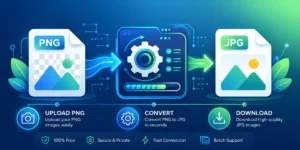
How to Convert PNG to JPG in 3 Easy Steps
Step 1 – Upload Your PNG Images
Drag and drop your PNG files into the upload area or click Choose Files to browse your device. Our converter supports multiple image uploads, allowing you to convert several PNG images at once.
Step 2 – Convert PNG to JPG
Click the Convert to JPG button. Your images will be processed automatically while maintaining excellent visual quality.
Step 3 – Download Your JPG Images
Once the conversion is complete, download each image individually or download all converted images together as a ZIP file.
Why Convert PNG to JPG?
There are several reasons why users convert PNG images into JPG format.
- Smaller file size for easier storage.
- Faster website loading speed.
- Easier sharing via email and messaging apps.
- Better compatibility across devices and software.
- Ideal format for photographs and digital images.
- Helps save storage space without noticeable quality loss.
Why Choose ToolSuiteOnline?
Unlike many online converters, ToolSuiteOnline provides a fast, secure, and user-friendly image conversion experience.
- ✔ No registration required
- ✔ Batch image conversion
- ✔ High-quality JPG output
- ✔ Completely free to use
- ✔ Works on Windows, Mac, Android & iPhone
- ✔ Secure file processing
- ✔ Instant downloads
PNG vs JPG
| PNG | JPG |
|---|---|
| Supports Transparency | No Transparency |
| Larger File Size | Smaller File Size |
| Best for Logos & Graphics | Best for Photographs |
| Lossless Compression | Compressed Format |
| Better Image Editing | Better Web Performance |
Frequently Asked Questions
Is this PNG to JPG converter free?
Yes. You can convert unlimited PNG images into JPG format without paying anything.
Will my image quality decrease?
Our converter optimizes your images while maintaining excellent visual quality suitable for websites, social media, presentations, and everyday use.
Can I convert multiple PNG files at once?
Yes. Batch conversion is fully supported, allowing you to upload and convert multiple PNG images in a single session.
Is my data secure?
Absolutely. Your uploaded files are processed securely and automatically removed after conversion to protect your privacy.
Can I use it on my mobile phone?
Yes. Our PNG to JPG converter works perfectly on Android smartphones, iPhones, tablets, Windows PCs, Macs, and other modern devices.
Related Image Conversion Tools
If you’re working with different image formats, you may also find these free tools useful:
Conclusion
Converting PNG images to JPG doesn’t have to be complicated. With ToolSuiteOnline, you can upload your images, convert them in seconds, and download high-quality JPG files without installing any software.
👉 Start using our PNG to JPG Converter today and convert your images for free.